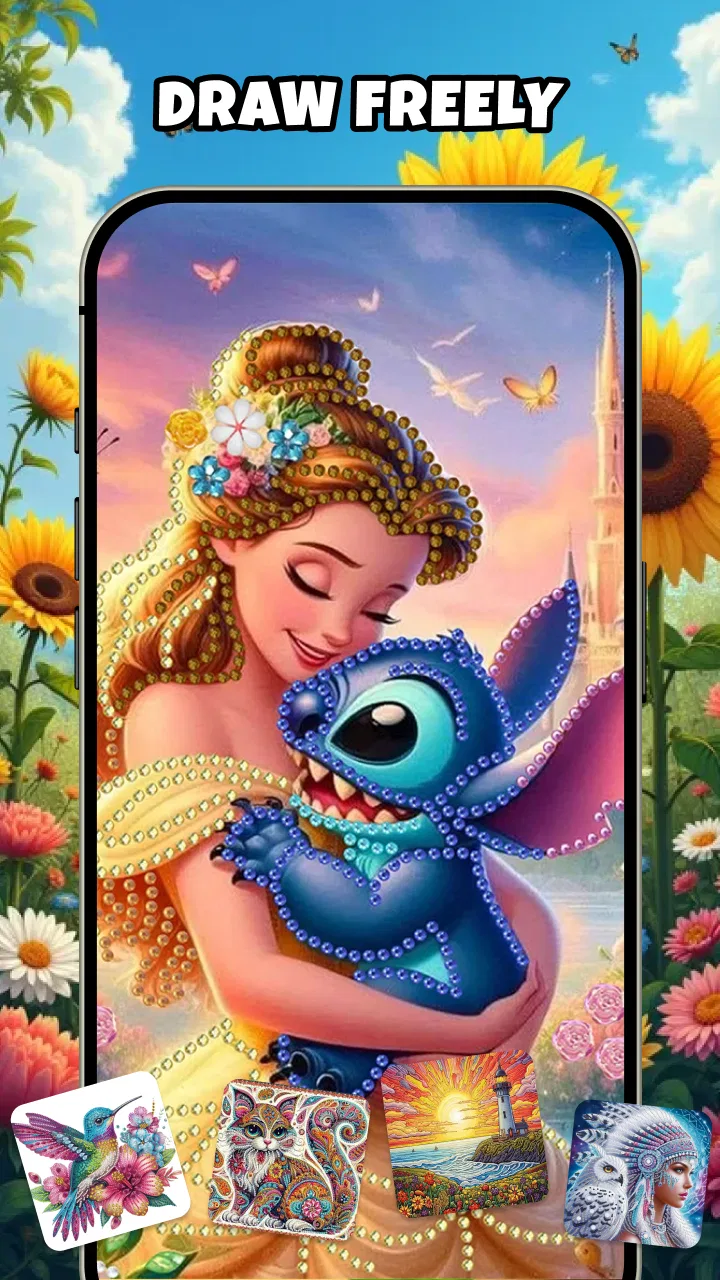
Diamond Painting - Art & Craft
- 4.2
- Rating
- 500.00K
- Installs
- Free
- Price

 Analysis by App-foxy
Diamond Painting - Art & Craft is the kind of app I open when I want a quiet activity rather than another demanding game. It turns the familiar paint-by-number idea into a digital diamond-art experience: I choose an image, select the numbered color, and fill the matching spaces until the picture becomes brighter and more complete. The appeal is simple, but the best part is how little preparation it needs compared with physical diamond painting.
After spending time with it, I see the app as a lightweight creative break for people who enjoy repetition, color matching, and visible progress. It is not trying to replace a full drawing studio, and it does not give me the freedom of a blank canvas. Instead, it offers guided craft. That distinction matters, because the same structure that makes it relaxing can also feel restrictive if I want to sketch, mix colors, or make something entirely my own.
A calm craft app with a clear purpose
Diamond Painting - Art & Craft sits in the Art & Design category, although I would describe its practical use as digital coloring with a diamond-art finish. The developer is Neli Creative, and the app is free to use. Its age rating is Everyone, which fits the straightforward, non-competitive activity and makes it approachable for families, casual users, and anyone looking for a gentle screen-time option.
You May Also Like

 Blood Strike: 2.5 Anniversary
Blood Strike’s Loadouts Turn Every Drop Into a Tactical Gamble
A close look at Blood Strike’s custom loadouts: how fast access to signature weapons reshapes its battle royale rhythm, rewards preparation, and narrows the gap between fights.

 Pandora - Music & Podcasts
Pandora’s Music Is Easy to Start, but Harder to Recover
Pandora’s strength is its low-effort path from a seed to a station. Its weak spot is how much confidence it asks you to place in connection, setup, and quiet recovery.

 8 Ball Pool
 Is Built on Rivalries, Rematches, and Routine
A close look at the rivalries, rematches, shared routines, and unanswered safety questions that turn a quick pool match into a persistent mobile community.

 Samsung Music
’s Quiet Strength Is Playing What You Already Own
Its reach comes less from spectacle than from dependable access to a personal library. That simplicity is both the app’s strongest retention engine and its ceiling.

 AccuWeather: Weather Radar
AccuWeather Review: A Quick, Clear Forecast for Everyday Decisions
For everyday plans, the best forecast is the one you can understand quickly. AccuWeather makes rain timing, radar, and local conditions easy to act on, with a few trade-offs.

 Hill Climb Racing
Why Hill Climb Racing Still Turns Crashes Into One More Run
A tiny car, a bumpy hill and one more upgrade: Hill Climb Racing keeps resurfacing because its simple chaos makes every near-miss feel personal.
More From Our News Desk



The app has reached over 500 thousand installs, so it has clearly found an audience beyond a small experiment. At the same time, the displayed average rating is 0.0, a combination that makes me more cautious than enthusiastic about treating popularity as proof of quality. Installs tell me that people are trying it; they do not tell me whether every user enjoys the pacing, image selection, or handling. I would judge it by the actual experience rather than by those two store signals alone.
It was released on June 1, 2026, and the current version is 1.5.0. The minimum operating-system requirement is Android 9, so the compatibility range should suit many older phones as well as newer devices. I still recommend checking the app page on the particular device before committing time to a large artwork, especially if the phone has limited storage or an older screen.
My first impression is that the concept is easy to understand without a tutorial-heavy introduction. The numbered design gives me an immediate job: identify the active color and place it in the matching areas. That removes the uncertainty I often feel when opening a traditional drawing app. I do not need to decide what to draw, which brush to use, or whether my composition looks good. I can simply begin.
What the coloring flow feels like in practice
The main satisfaction comes from switching between small tasks and larger visual progress. At the start, an image can look busy, with many unfilled spaces competing for attention. As I work through the color groups, the picture becomes easier to read. I find that this gradual change is more motivating than a single completion screen because I can see the artwork improving after every short session.
A useful way to approach a detailed picture is to avoid tapping randomly. I prefer to select one color, scan the image for its matching spaces, and finish a manageable cluster before changing to another shade. This reduces the mental effort of constantly reorienting myself. It also makes missed areas easier to spot later, particularly when several colors are visually similar.
For a quick break, I would not try to finish an entire picture. I would work on a compact section while waiting for an appointment or winding down before bed. The app suits that stop-and-start rhythm because the activity is naturally divided into individual placements. The trade-off is that a very detailed image may demand patience, and anyone expecting instant results could find the early stages slow.
I also recommend using the visual structure as a focus aid rather than treating it as a race. The numbered spaces encourage me to concentrate on one small decision at a time. That can be helpful after a busy day, when a blank creative tool feels like work. However, users who need strong stimulation, fast rewards, or competitive goals may find this experience too quiet.
Why it works for some users and not others
This is a good match for people who like coloring books but want something cleaner and more guided on a phone. It is also suitable for beginners who are curious about diamond painting but do not want to buy beads, trays, tools, and physical canvases first. A digital version removes the practical mess and lets me test whether I enjoy the basic rhythm before spending money on a craft kit.
Parents may find the Everyone rating reassuring for a shared family device, but I would still supervise younger children around any app-store activity and device use. The creative task itself is uncomplicated, yet the adult responsible for the device should remain the one making decisions about downloads, notifications, and any visible choices during setup or use.
On the other hand, this is not the right choice for someone looking for an actual illustration workspace. I cannot treat numbered filling as a substitute for layers, freehand brushes, typography tools, or detailed editing. A dedicated drawing app is better when the goal is to learn technique, create an original character, design a poster, or export a carefully controlled composition.
It is also a weaker fit for someone who loves physical texture. Digital diamond painting can imitate the look and rhythm of placing gems, but it does not provide the tactile feedback, material handling, or finished object that makes the real craft special. If the final artwork is meant to hang on a wall, a physical kit remains the more meaningful option.
Trust starts with what I can actually see
Because this activity is simple, I pay close attention to the moments outside the artwork itself. A trustworthy experience is not only about attractive pictures; it is also about whether I understand what happens when the app asks for access, presents account choices, or moves me toward another screen. I do not assume that a quiet coloring app is automatically private or risk-free.
My approach is deliberately practical: I look at the permissions shown by the operating system, read each prompt before accepting it, and avoid granting access that does not make sense for the task. I also check the app’s store privacy section and any in-app privacy or account controls that are visible on my device. If a permission request appears, I want a clear reason connected to something I am actively trying to do.
I would not approve access simply because the app is free or because the request appears during the first launch. Free pricing is convenient, but it is not a privacy explanation. The useful habit here is to pause at each prompt, choose the narrowest available option when the system offers one, and revisit the operating-system permission manager later if I change my mind.
The same caution applies to notifications. A reminder might be useful for returning to an unfinished picture, but I prefer to decide that myself rather than accept every alert by default. On a shared phone, I also consider whether notification text could reveal that I am using the app. Small choices like these make the experience feel more under my control.
Account choices and moments that deserve attention
I treat sign-in as a separate decision from trying the art activity. If the app presents an account option, I first ask whether I need one for the specific action I want to perform. An account may be worthwhile if it visibly supports progress across devices or another function I value, but I would avoid creating credentials just to browse or test the basic concept.
When an app offers a guest path, I prefer it for an initial trial. When it does not, I use a unique password rather than reusing an important one. I also look for a clear sign-out route and any option to delete an account or remove saved information. These are ordinary controls, but they matter because a relaxing craft session should not leave me uncertain about how to leave the service later.
Data-sensitive moments can appear when I choose an image, save progress, open a sharing action, or interact with a promotional screen. I slow down at those points. Sharing a finished design may sound harmless, but I check what is included in the preview, whether the share sheet names the app, and which destination I am selecting. I do not send anything until I have seen the exact content.
I use the same care with photos and media. If I am only coloring built-in artwork, I would not expect to need access to my personal gallery. If a visible feature later asks me to select an image, I would choose a specific item rather than broad access when the operating system provides that choice. If the app cannot offer a narrow option, I would decide whether that feature is worth the wider permission.
These habits are not accusations against Neli Creative. They are simply how I evaluate any app that runs on my phone. I rely on visible prompts, system controls, and written privacy information rather than guessing about behind-the-scenes behavior. That is especially important here because the core activity is uncomplicated; I should be able to understand why an extra access request is appearing.
Keeping control of the experience
User agency is strongest when I can choose my pace. I do not need to treat the app like a daily obligation, and I would turn off reminders that make the hobby feel like a task. The numbered format already supplies structure, so I prefer not to add unnecessary pressure through constant alerts or aggressive completion goals.
I also keep my expectations realistic about the free model. The app costs nothing to download, which lowers the barrier to trying digital diamond art. Still, free apps can include promotional surfaces or optional purchase paths, so I read buttons carefully and avoid tapping through a screen automatically. If a payment confirmation appears, I stop and verify what I am approving before continuing.
For children using a family device, I would combine the Everyone rating with device-level purchase restrictions and a conversation about sharing. The age label describes the intended content level, not a replacement for household rules. I would also show a child how to close a prompt rather than press the most prominent button, because that skill is useful in every app.
One practical limitation is that guided coloring can encourage tunnel vision. I sometimes focus so closely on the next matching space that I lose track of how the whole design is developing. To avoid that, I pause after completing a color group and inspect the full picture before proceeding. This turns the activity into a more deliberate workflow and helps me notice whether I am enjoying the image itself or merely chasing completion.
Another trade-off is accessibility. Small numbered areas may be comfortable on a large phone but tiring on a compact display. I would increase system text or display scaling where possible, use a brighter environment, and take breaks rather than forcing a long session. Users with vision, motor, or color-identification difficulties should test a small portion first and decide whether the markings remain clear enough for comfortable use.
How it compares with familiar alternatives
Compared with a physical diamond-painting kit, this app wins on convenience. There are no loose pieces to sort, no adhesive canvas to protect, and no dedicated table needed. I can begin immediately and stop without packing anything away. The cost-free entry also makes experimentation easier. What it loses is the tactile pleasure and the physical keepsake.
Compared with ordinary coloring apps, the numbered diamond approach feels more methodical. Traditional digital coloring can give me broader control over shades and strokes, while this app gives me a defined path and a more mosaic-like result. I would choose this experience when I want guidance; I would choose a conventional coloring tool when I want to improvise.
Compared with a full digital-art app, the difference is even larger. Drawing software rewards skill development and personal authorship, but it can feel intimidating when I only want ten quiet minutes. Diamond Painting - Art & Craft is easier to enter because it removes most creative decisions. That simplicity is its strength, not a missing feature, provided I understand that I am completing designs rather than creating them from scratch.
There is also a social difference. A physical kit can become a shared table activity, and a drawing app can support collaboration through editable projects. This app feels more personal and self-contained in my routine. I would recommend it for individual downtime, not as my first choice for a group art session where everyone wants to contribute directly.
My verdict after using it thoughtfully
I recommend Diamond Painting - Art & Craft to anyone who wants an uncomplicated, guided art break on a compatible Android device. The free access, Everyone rating, and simple numbered workflow make it approachable, while the growing install base suggests that the format has practical appeal. I especially like it for short sessions, beginners testing the craft, and people who find blank-canvas apps too demanding.
My recommendation comes with boundaries. I would not choose it for serious illustration, tactile crafting, or users who need strong evidence of a large community before investing attention. The displayed 0.0 average rating also means I would keep expectations measured rather than assuming that popularity guarantees polish. I would try it personally, review every permission and account prompt, and decide whether the image selection and pacing suit me.
The best way to use it is to start small: choose a design, complete a short color group, inspect the permissions shown by the phone, and adjust notifications before settling into a routine. If that process feels calming, the app has done exactly what I need. If I find myself wanting freehand control, physical materials, or clearer creative ownership, I would move to a traditional coloring, drawing, or real-world diamond-art alternative instead.
In my experience, the app’s value is not in pretending to be a complete art studio. It is in making a focused craft activity easy to pick up and put down. For a low-pressure digital hobby, its guided structure is the main reason to try it; for privacy-conscious users, the right approach is to rely on visible choices rather than assumptions. That balance makes it worth a careful trial, but not a blind download-and-accept experience.
FAQs for Diamond Painting - Art & Craft
01What is Diamond Painting - Art & Craft and how does it work?
Diamond Painting - Art & Craft is a creative app that allows users to create stunning digital artwork using a simple and relaxing method. Users select an image and fill it in by placing colorful, virtual diamonds on a grid. The app provides a variety of templates, making it easy for anyone to create beautiful art without prior experience.
02Is Diamond Painting - Art & Craft free to use?
The app offers a free version with a selection of basic templates and features. However, there are in-app purchases and subscription options available, providing access to premium templates, ad-free experience, and additional tools. These options enhance the creative possibilities for users who want to explore more intricate designs.
03What are the system requirements for Diamond Painting - Art & Craft?
Diamond Painting - Art & Craft is available for both Android and iOS devices. It requires Android version 5.0 or higher and iOS 11.0 or later. The app is optimized for smartphones and tablets, ensuring a smooth user experience across a variety of devices.
04Can I share my completed art from Diamond Painting - Art & Craft on social media?
Yes, the app includes features that allow users to share their completed artwork directly to social media platforms like Instagram, Facebook, and Twitter. This makes it easy for users to showcase their creations to friends and followers, as well as engage with the app's community.
05Are there any parental controls available in Diamond Painting - Art & Craft?
While the app is designed to be family-friendly and suitable for all ages, it does not include specific parental controls. Parents are advised to monitor in-app purchases and ensure that children use the app in a safe and enjoyable manner. The app's straightforward interface is designed to appeal to both young users and adults alike.
Pros
- Intuitive interface for easy navigation.
- Wide variety of designs to choose from.
- Relaxing and stress-relieving activity.
- Offline mode for crafting on the go.
- Regular updates with new designs.
Cons
- Ads can be intrusive at times.
- Limited free designs available.
- In-app purchases can be costly.
- Requires significant storage space.
- No social sharing feature available.

Diamond Painting - Art & Craft
Gallery